
You do not need a large studio to create better product photos for a small business. A smartphone, clean background, steady lighting, and a simple setup can produce useful images for a website, social post, marketplace listing, or promotional campaign.
The same photo session can also supply the visual building blocks for a short promotional ad, which makes this one of the most reusable content projects a small business can create.
THE SIMPLE PHOTO PLAN
Light, stability, and useful angles
Soft light
Use a window and a white reflector.
Steady phone
Use a tripod, support, and timer.
Three views
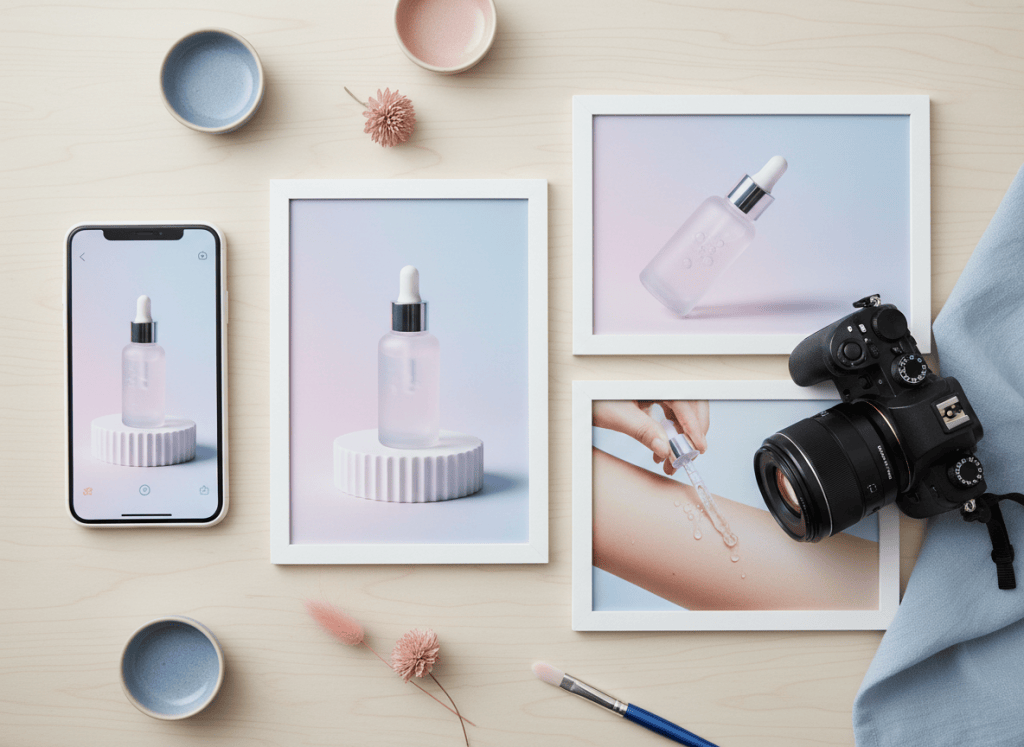
Capture hero, detail, and in-use frames.
What You’ll Need
- A smartphone with a clean camera lens
- A microfiber cloth
- A small tripod or another stable phone support
- A simple, uncluttered background
- Soft window light or another even light source
- A white foam board, poster board, or similar reflector
Start With a Clean Background
Use a simple surface that does not compete with the product. A white wall, poster board, tabletop, neutral fabric, or clean branded setup can work well. Remove clutter before you start shooting.
Use Soft, Even Light
Window light can be enough for many products. Position the product near a bright window without harsh direct sunlight, then use a white foam board or another light surface opposite the window to bounce some light back onto the product.

Keep the Phone Stable
A small tripod makes it easier to keep framing consistent. If you do not have one, brace the phone against a stable object and use a timer to reduce camera movement.
Clean the Camera Lens
Phone lenses collect fingerprints quickly. Wipe the lens with a clean microfiber cloth before photographing the product so the image does not look unnecessarily hazy.
Capture More Than One Useful Angle
- A clean front or three-quarter product view
- A close-up showing texture or detail
- The product being held or used by a person
- A scale or lifestyle shot showing where the product belongs
- A vertical composition for social media
- A wider composition that leaves room for promotional text later
Let the Product Fill the Frame
Move physically closer when possible instead of relying heavily on digital zoom. Keep lines straight, check the edges of the frame for distractions, and make sure the product is the obvious subject.
Edit for Consistency, Not Artificial Perfection
Small adjustments to exposure, white balance, crop, and contrast can help a set of images look consistent. Avoid editing that changes the real appearance of a product in a way that could mislead a customer.
FINAL RESULT
What a Useful Three-Image Product Set Should Include
- Hero image: a clean, well-lit view that makes the product immediately recognizable.
- Detail image: a closer frame showing a useful feature, texture, material, or finish.
- In-use image: a realistic view showing scale, context, or how the product fits into a customer’s life.
A strong set should look consistent in exposure and color while still representing the real product accurately.
Turn the Photo Set Into a Simple Promotional Story
Once you have several strong images, the photos can become more than individual posts. Arrange them into a short sequence that answers a few basic questions: What is the product? Why is it useful? What does it look like in use? What should the viewer do next?
- Opening: strongest product image.
- Detail: close-up of a feature, texture, or material.
- Context: show a real person using or holding the product.
- Benefit: show the product solving the problem it was made for.
- Close: finish with a clear call to action.
Where AI Can Help
AI-assisted creative tools can help resize the same images for different platforms, organize the visual sequence, create supporting backgrounds or variations, and turn a small photo set into a more polished campaign. The original product should still remain recognizable and truthfully represented.
Make One Photo Session Work Harder
A small business can reuse the same images for an online store, social post, email, flyer, short-form video, product explainer, and seasonal promotion. That is where a connected creative workflow becomes valuable: one useful asset can support many finished pieces of content.
Explore ShiMuv to see how small businesses can turn simple product media into polished promotional content.
TRY THIS IN SHIMUV
Turn this photo setup into creator content
Use this real article as a starting point. Open the editable prompt and finished example image in ShiMuv, then review or customize everything before generation.
Create a short promotional product video using this finished product-photography image as the visual reference. Place the product near soft side light. Simplify the background. Add a white reflector card. Capture a hero, detail, and in-use angle. End on the selected edited image in a clean social layout.Opens with this prompt and finished example image ready to review. Nothing generates or spends credits until you confirm.