FILM STUDIO ANIMATION TUTORIAL
Animation needs a visual identity as clear as its plot. Define the character style, the world, the hero’s goal, and the emotional tone so every shot feels like it belongs to the same animated film.
Story Concept
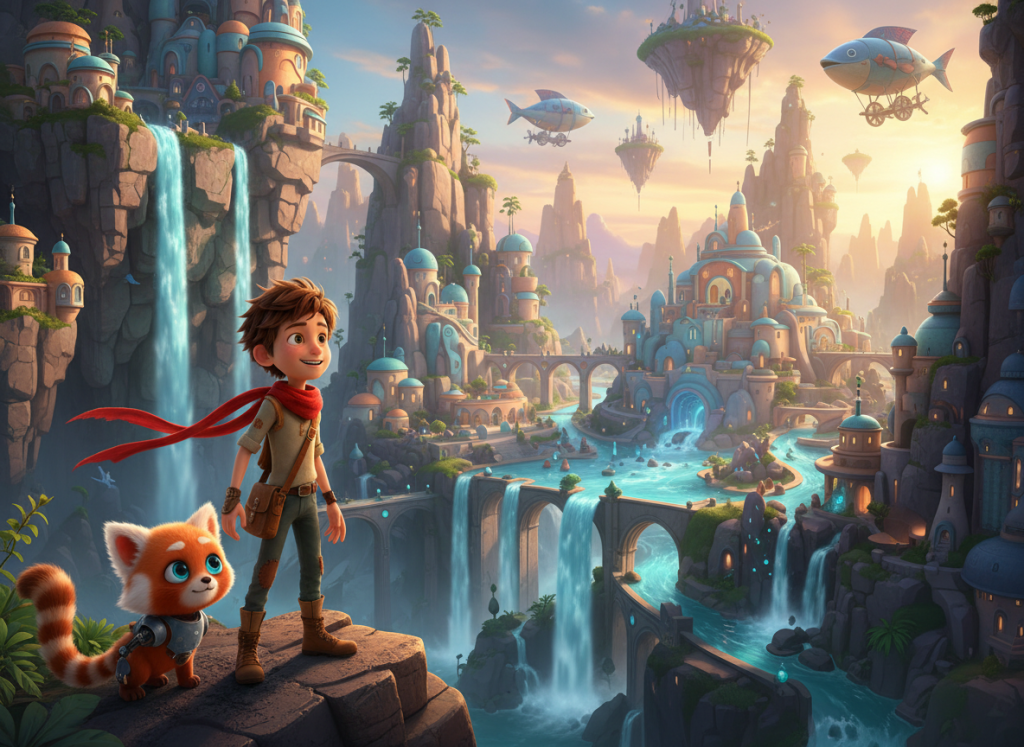
Leo and his robotic sidekick Pip discover a glowing clue that points to a hidden part of their floating city. Their quest takes them through markets, bridges, waterfalls, and one simple obstacle before a joyful reveal.
Characters & Scene Plan
- Leo: optimistic young explorer with a red scarf and expressive face.
- Pip: cute robotic animal sidekick with glowing blue eyes.
- Open on the colorful floating city.
- Reveal a glowing map or broken device.
- Travel through imaginative locations and solve one visual puzzle.
- End on a large, joyful reveal shot.
Example Dialogue
Leo: “I knew this city was hiding something amazing.”
Mentor: “Every map is useless until someone is brave enough to follow it.”
Copy This Film Studio Prompt
Create a colorful animated short film in ShiMuv Film Studio. Style: polished 3D cartoon animation with expressive characters, a bright fantasy city, playful energy, and family-friendly adventure. Main characters: Leo, a cheerful young explorer with a red scarf; Pip, a cute robotic animal sidekick with glowing blue eyes. Create 5 connected scenes: introduce Leo and Pip in a city of bridges, waterfalls and floating islands; Leo discovers a glowing clue; they travel through imaginative locations; they solve one simple obstacle together; they reach the hidden destination and end with a joyful reveal. Keep character proportions, colors and costume details consistent. Include expressive animation, clear staging, adventurous music and subtitle-ready dialogue or short spoken lines.Build the Animated Adventure in Connected Beats
Animation gives you freedom, but freedom can make continuity drift quickly. Treat Leo, Pip, the map and the city palette as design assets that persist from scene to scene. Then build each new scene by changing the objective or environment while preserving those anchors.
Give Each Scene One New Job
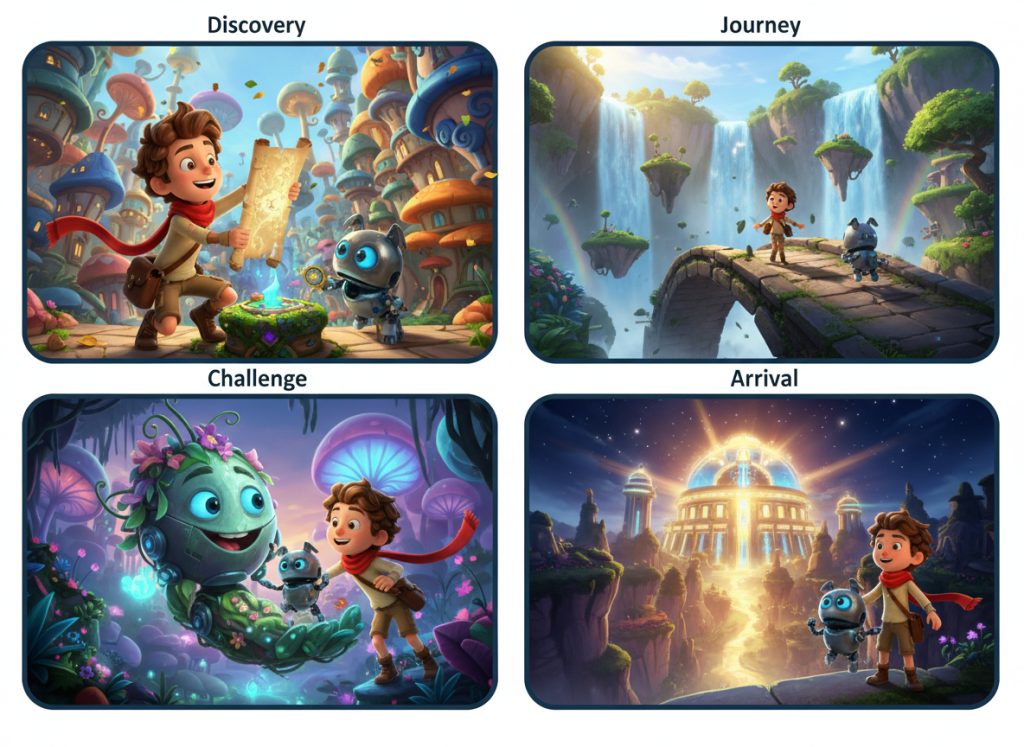
| Scene | Preserve | Change | End On |
|---|---|---|---|
| 1 · Discovery | Leo, Pip, city style | Introduce the map or glowing clue | They choose to follow it |
| 2 · Exploration | Character designs, map, color palette | New bridge, market or waterfall route | The clue points somewhere unexpected |
| 3 · Obstacle | Same designs and map state | A playful environmental challenge | Leo and Pip solve it together |
| 4 · Discovery | Journey history and relationship | Hidden district or magical mechanism | The destination becomes visible |
| 5 · Payoff | All design and emotional continuity | Reveal what the map was truly leading toward | Wonder or a new quest |
Lock the Character Design
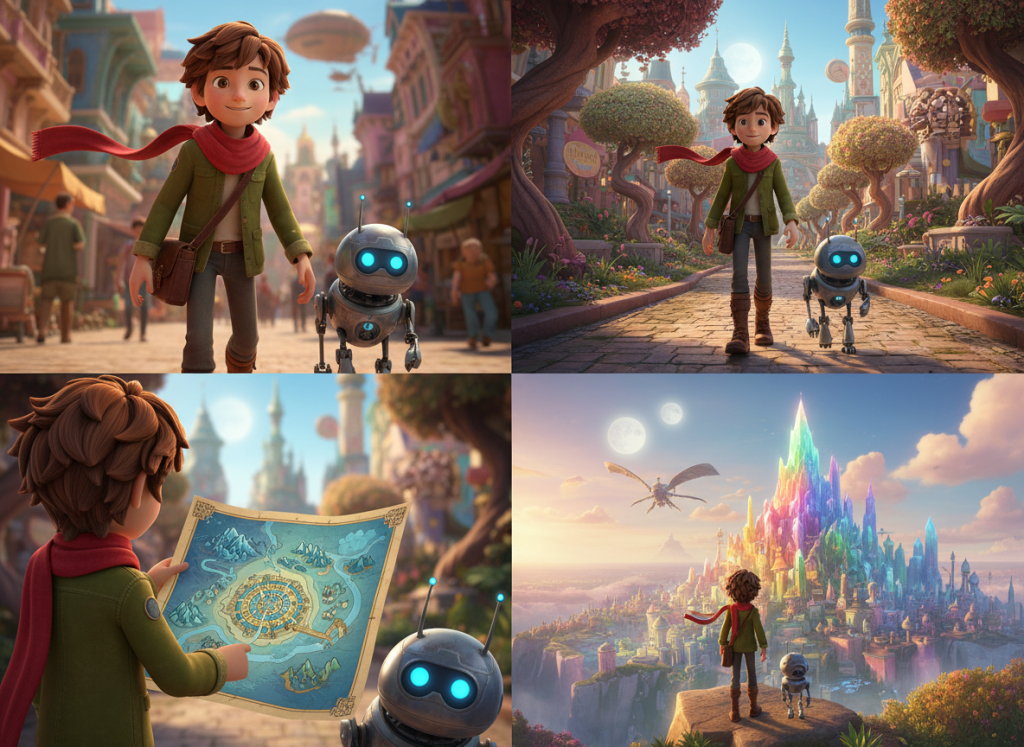
- Leo: repeat age, hairstyle, face shape, red scarf, outfit colors and proportions.
- Pip: repeat body silhouette, ear or limb shape, eye color, material and size relative to Leo.
- Map: preserve its size, color, markings and whether it is folded, open or glowing.
- World palette: keep the same family of sky, building and vegetation colors across locations.
- Animation style: repeat “polished 3D cartoon animation” or the chosen style in every scene prompt so later scenes do not suddenly become realistic or 2D.
Build on the Previous Scene Prompt
- Scene 1 defines the complete visual bible: Leo, Pip, city, map, time of day and animation style.
- Scene 2 begins with “Continue from the previous scene with the exact same Leo and Pip designs.” Add only the next location and objective.
- Scene 3 keeps the map and route history visible so the obstacle feels connected to the quest.
- Scene 4 should visually reward earlier clues—repeat a symbol, color or shape from the map in the hidden location.
- Scene 5 pays off both the destination and the friendship. Do not end only on a pretty landscape.
Use Animation Camera Language Intentionally
- Wide establishing frames show the scale and geography of the fantasy city.
- Medium two-shots keep Leo and Pip emotionally connected.
- Insert shots of the map make story information easy to follow.
- Low or high angles can emphasize wonder without changing character proportions.
- Save the widest, most spectacular reveal for the destination or final discovery.
Common Animation Continuity Mistakes
- Pip changing size or mechanical design from shot to shot.
- Leo’s scarf disappearing because it was omitted from a later prompt.
- Switching animation style mid-film.
- Introducing beautiful new locations with no route or reason connecting them.
- Letting the map vanish after it starts the story.
Turn the Short into a Bigger Adventure
Expand the journey by creating chapters with different functions: discovery chapter, travel chapter, puzzle chapter, relationship chapter, destination chapter. Each chapter can contain several scenes, but Leo, Pip and the original clue remain the thread that makes the larger film feel like one adventure.
TRY THIS IN SHIMUV