
FILM CONTINUITY WORKFLOW
Lock the character before you multiply the scenes
Consistency improves when identity, wardrobe anchors, voice, props, and recurring details are decided before long-form generation. Treat those choices as a character bible rather than repeating a name in every prompt.
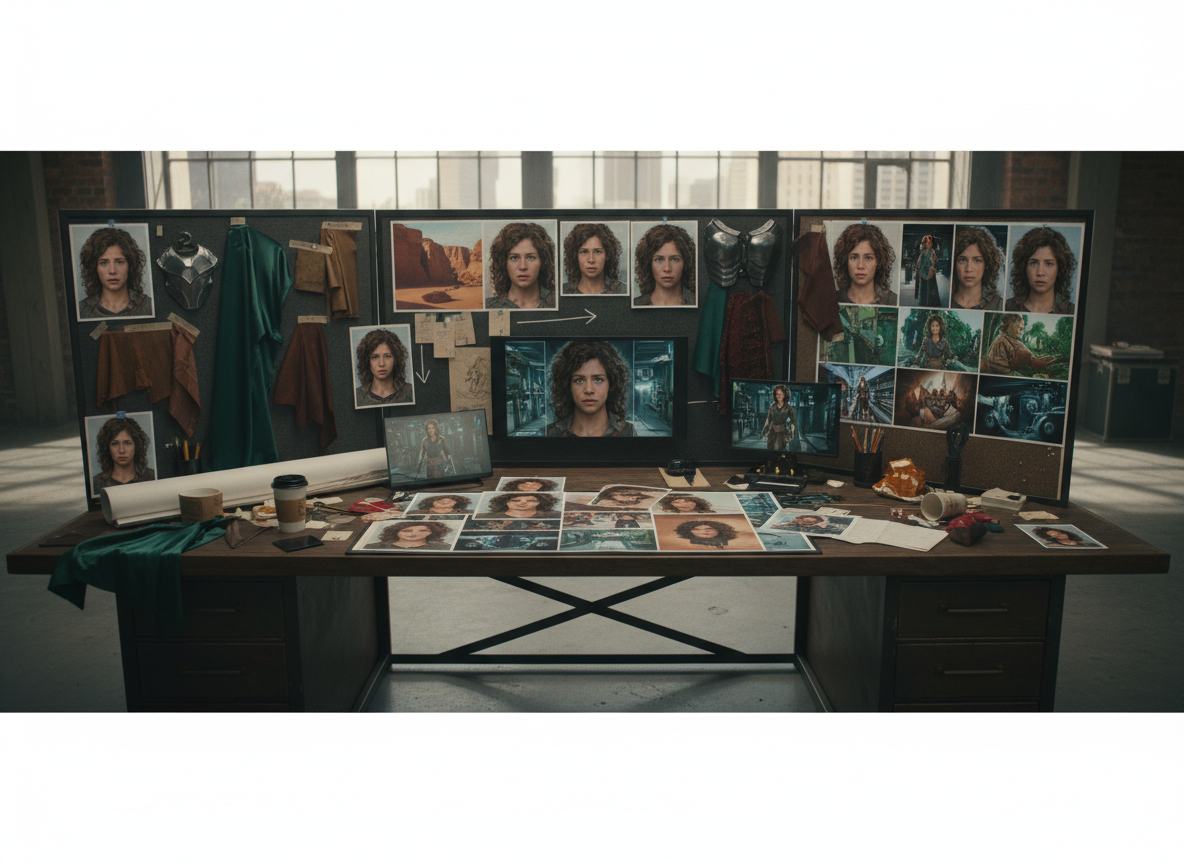
A character does not feel consistent simply because the same name appears in every prompt. Viewers notice changes in face shape, hair, age, clothing, accessories, voice, and proportions even when each individual shot looks convincing.
Separate Identity From Scene Details
Identity traits should remain stable unless the story intentionally changes them. Examples include facial structure, approximate age, skin tone, hair identity, eye shape, voice, and distinctive accessories.
Scene details can change: lighting, emotion, weather, camera angle, location, and temporary wardrobe changes.
Keeping those two groups separate makes continuity easier to review.
Build a Character Reference Bible
For each major character, record:
- one strongest identity reference image
- facial and hair details that must remain stable
- baseline wardrobe and recurring accessories
- voice and speaking style
- important props
- known relationships
- scene-specific variations that are allowed
Do not overload the reference set with conflicting images. A smaller group of strong, consistent references is usually easier to manage than many unrelated variations.
Plan Wardrobe and Props Across the Story
If a coat appears in Scene 1 and the story continues minutes later in the same location, the coat should not randomly change. If a character carries a key, bag, phone, letter, or other story object, track when it enters and leaves the sequence.
Continuity is physical storytelling.
Review the Sequence, Not Just the Best Frame
A scene can look excellent by itself and still break the film when placed beside the previous shot. Review adjacent scenes for face identity, wardrobe, location geometry, props, time of day, and camera logic.
When drift appears, correct it before producing more footage around the mistake.
Use ShiMuv Film Studio as the Project Memory
ShiMuv Film Studio is designed to keep the brief, characters, continuity references, scenes, storyboard planning, dialogue, and production decisions connected to the same project.
Use the article’s Try This prompt to establish the character bible first, then continue into the storyboard and shot plan. The goal is stronger perceptual continuity, not a promise of pixel-perfect identity in every generation.
Add a Scene Set Lock Too
Character continuity becomes much stronger when the environment is also stable. Lock recurring door placement, furniture positions, major props, room layout, and other set geometry before generating many angles in the same location.
If the doorknob moves, the sofa changes sides, or a window appears where none existed, the audience may experience the same continuity break as a changing face.
Final Continuity Check
Before approving a scene, compare it with the previous and next planned shots. Confirm identity, wardrobe, props, environment, voice, and story chronology. Fix visible drift early instead of hoping the edit will hide it.
TRY THIS IN SHIMUV
Build a character-continuity plan before generating scenes
Use this article as your starting point. Open the prompt and reference image in ShiMuv, then review or customize the request before generation.
Help me create a character continuity bible for an AI film. Lock the lead character's facial identity, age, hair, wardrobe anchors, voice, props, and recurring visual details. Separate permanent identity traits from scene-specific changes, then use those references consistently across the storyboard and scene plan.Opens with this prompt and reference image ready to review. Nothing generates or spends credits until you confirm.